Header Fields vs. Line Item Fields
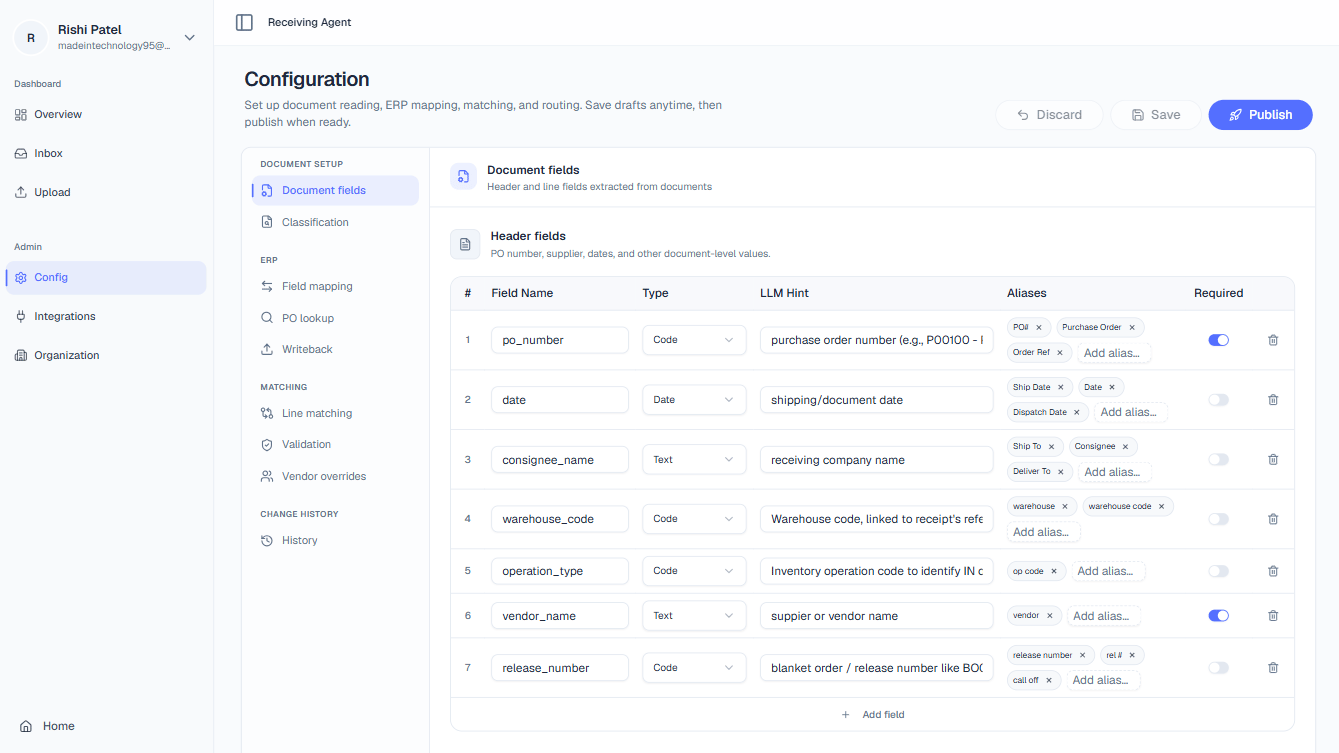
The platform distinguishes between two categories of extractable fields based on where they appear in a document. Header fields appear exactly once per document. They describe the shipment as a whole rather than an individual product line. Common header fields include:- PO Number — the purchase order reference for the entire delivery
- Vendor Name — the supplier who sent the shipment
- Ship Date — the date the goods were dispatched
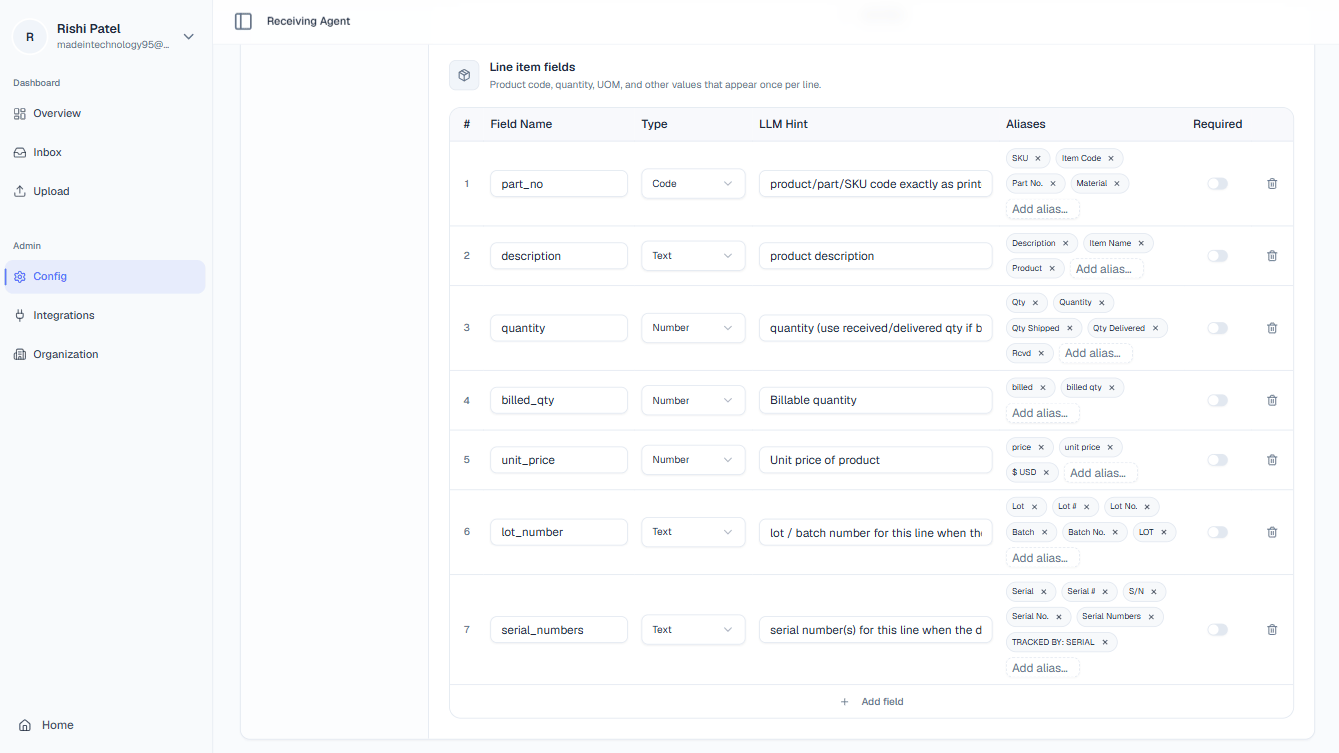
- Part Number — the supplier or internal SKU for the product
- Quantity — how many units were shipped for that line
- Unit of Measure — the unit used (each, kg, box, etc.)
Field Types
Each field you define must be assigned a type. The type tells the AI what format to expect and how to validate the extracted value.Code
Exact alphanumeric strings with no arithmetic meaning: PO numbers, SKUs, lot numbers, serial numbers. The AI will extract the value precisely as it appears, preserving case and any leading zeros.
Number
Numeric values that may require arithmetic processing: quantities, unit prices, totals. The AI will parse and normalise the value as a float or integer, stripping currency symbols or thousand separators where necessary.
Date
Date values in any common format: ship date, delivery date, invoice date. The AI normalises extracted dates to ISO 8601 (YYYY-MM-DD) regardless of how they appear on the source document.
Text
Free-form natural language: descriptions, supplier names, comments. No normalisation is applied; the raw extracted string is passed downstream.
Required Flag
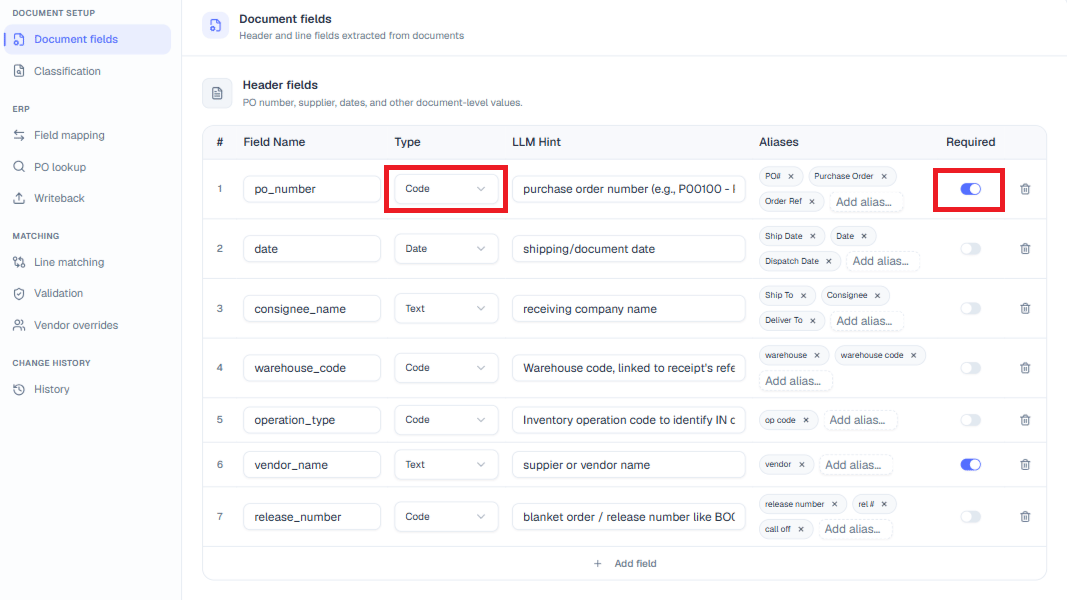
We strongly recommend marking PO Number as Required. Without a PO Number, the platform cannot look up the corresponding purchase order in your ERP, and every document from that vendor will require manual intervention.
PO Context Rules
The Context tab lets you classify each document’s business context so the platform can apply the right processing logic. Rules are evaluated in priority order: the rule with the lowest priority number is evaluated first, and the first rule whose conditions match the document is applied — subsequent rules are skipped.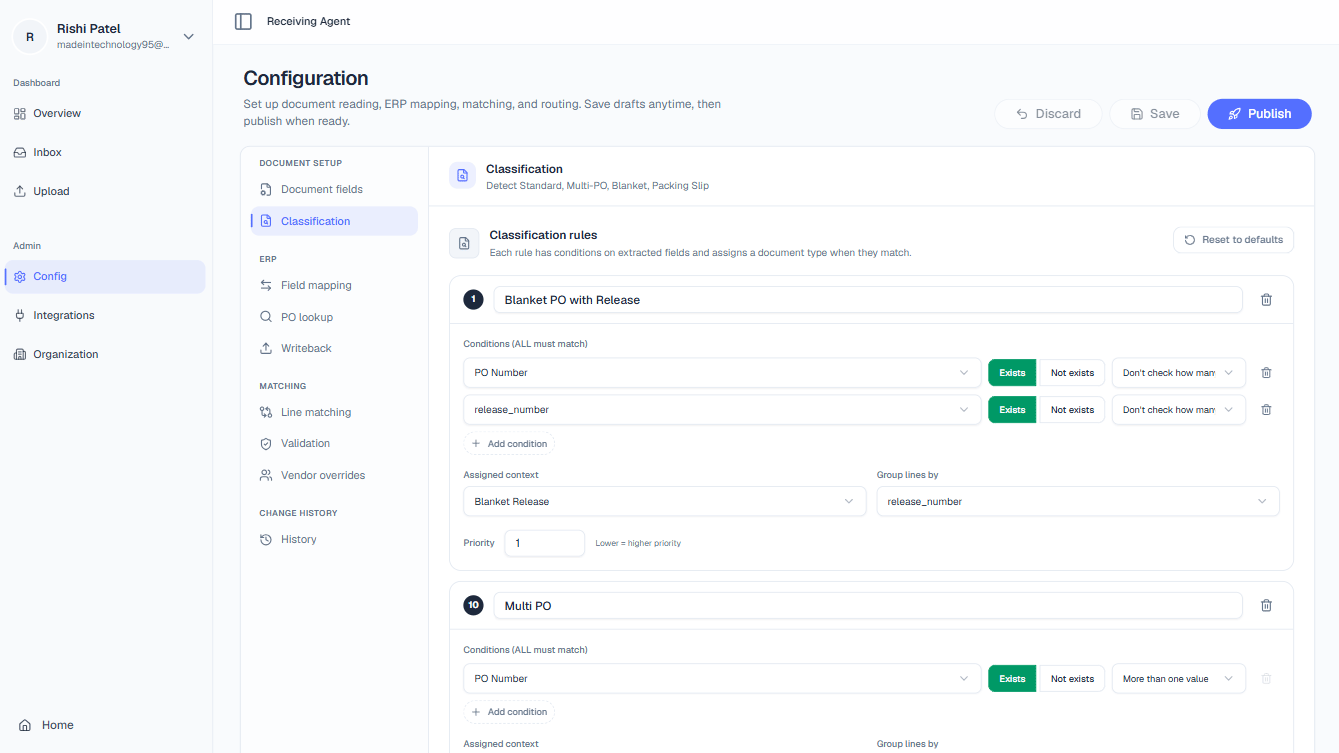
Context Types
Rule Conditions
Each context rule can be built from one or more conditions:Field Exists / Not Exists
Field Exists / Not Exists
Check whether a specific extracted field is present or absent in the document. For example, a Blanket Release rule might require that a release number field Exists.
Cardinality
Cardinality
Check how many distinct values were found for a field across the document:
- Exactly one value — the field appears, but all instances have the same value (typical for Standard PO).
- More than one value — multiple distinct values were found for the field (typical for Multi PO, where different lines carry different PO numbers).